
Component Settings
Questi contenuti non sono ancora disponibili nella tua lingua.
Component: Vertex Turn In Place (UVertexTurnInPlaceComponent). Category path in Details: Vertex |Turn In Place and Vertex |Settings |{Group}.
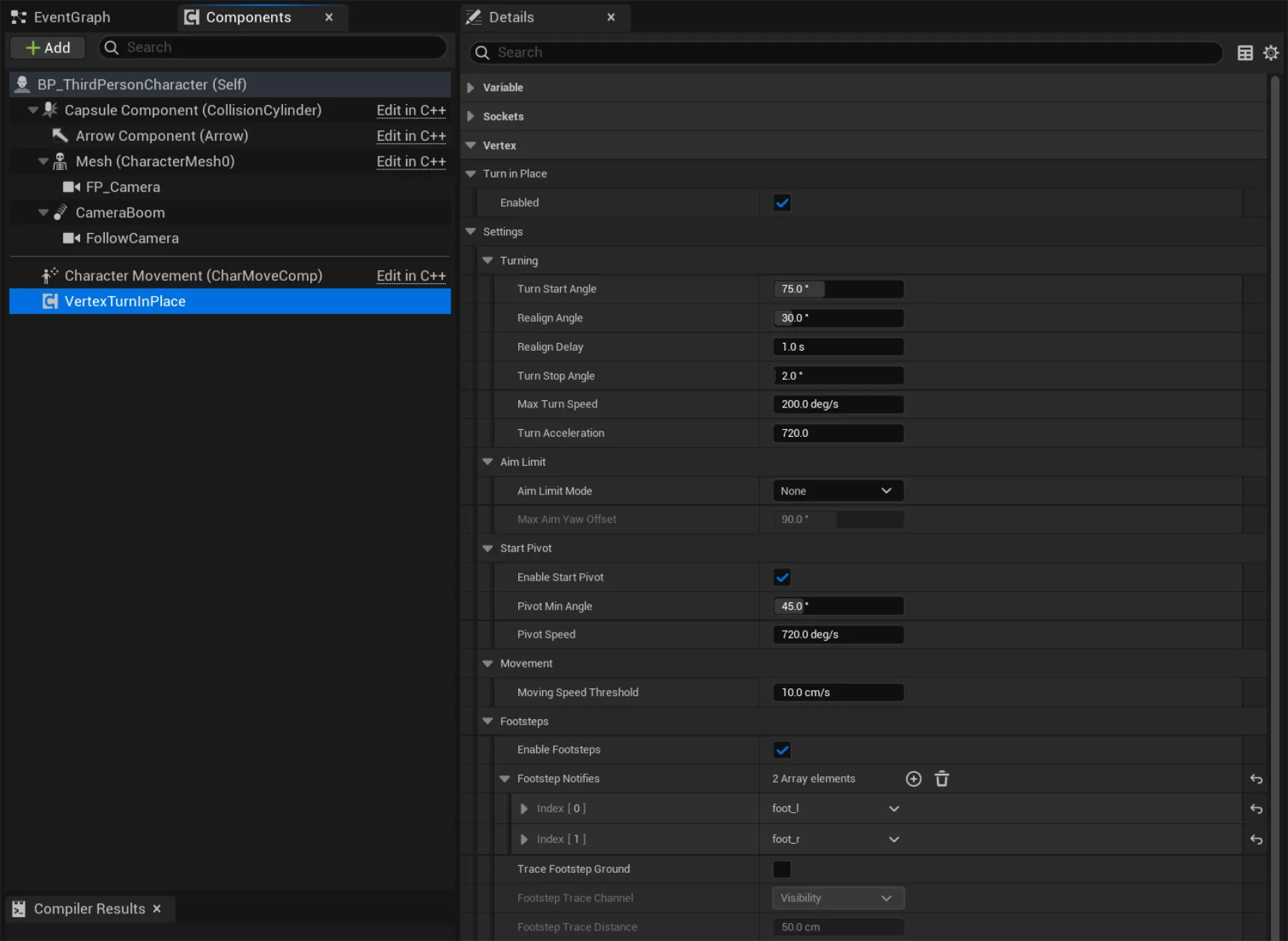
Turn In Place
Section titled “Turn In Place”| Setting | Default | What it does | Use case |
|---|---|---|---|
| Enabled | On | Master switch. Replicated. Change at runtime with Set Turn In Place Enabled (server). | Turn off for ragdoll, cutscenes, vehicles, ladders, or any state that owns rotation. |
Turning
Section titled “Turning”| Setting | Default | What it does | Use case |
|---|---|---|---|
| Turn Start Angle | 75 deg | Aim offset that starts a turn immediately. | Lower (45-60) for responsive shooters; higher (90+) for relaxed exploration. |
| Realign Angle | 30 deg | Smaller offset that starts a turn after being held for Realign Delay. | Slowly re-centres the body when the camera rests off-axis. Raise it to Turn Start Angle or above to effectively disable. |
| Realign Delay | 1 s | How long the offset must stay above Realign Angle. | Lower for an eager body, higher for a lazy one. |
| Turn Stop Angle | 2 deg | A turn ends when the remaining angle is below this. | Raise slightly if the body creeps at the end of turns. |
| Max Turn Speed | 200 deg/s | Top rotation speed of the body. | Raise for agile/combat characters, lower for heavy ones. Keep in mind faster turns shorten steps. |
| Turn Acceleration | 720 deg/s^2 | Acceleration and braking of the rotation. | Lower = soft starts and stops; higher = snappy. |
Aim Limit
Section titled “Aim Limit”| Setting | Default | What it does | Use case |
|---|---|---|---|
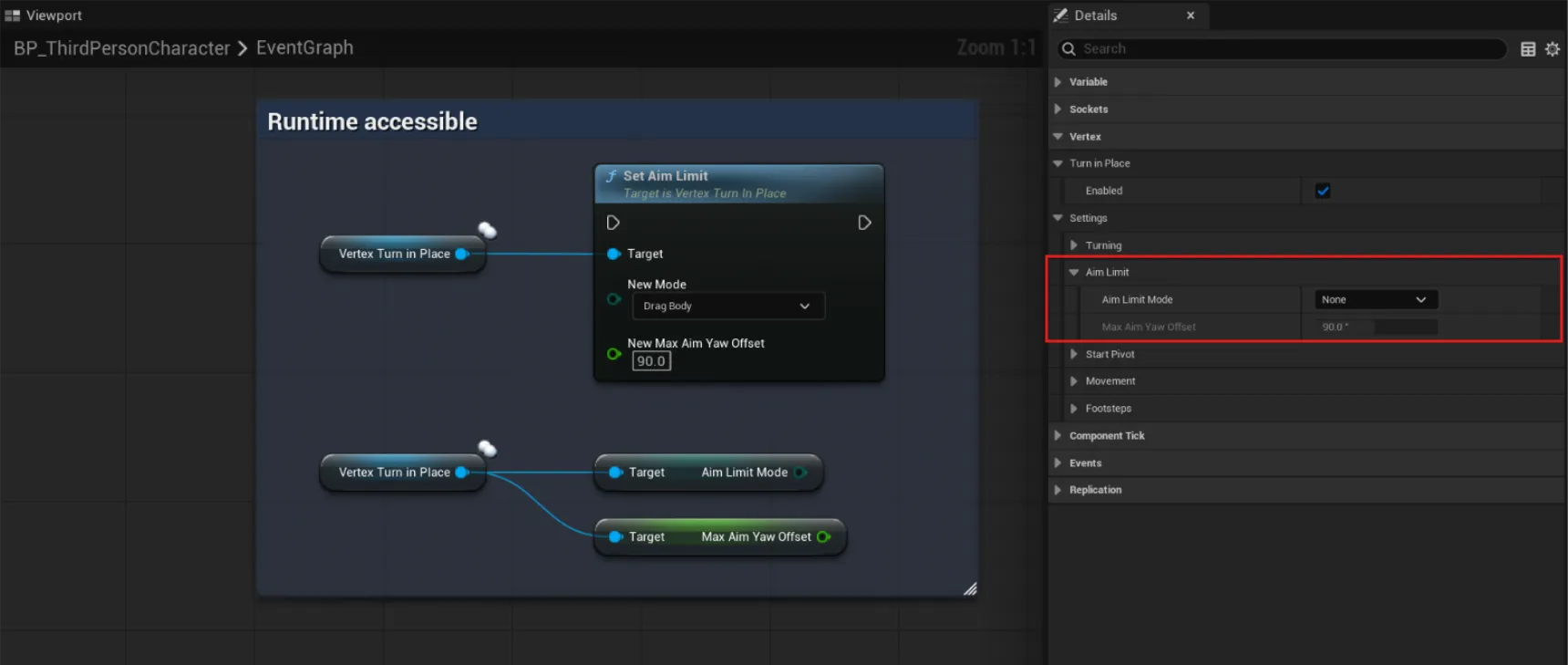
| Aim Limit Mode | None | None: no limit (third person). Drag Body: camera stays free, body is dragged when the limit is exceeded (first person). Clamp Camera: camera yaw is clamped around the body until it catches up (local players only). | First person: Drag Body. Third person: None. |
| Max Aim Yaw Offset | 90 deg | Maximum angle between aim and body while standing. Only active when mode is not None. | Tighter (15-45) while aiming down sights; looser for free look. The effective turn start becomes min(Turn Start Angle, 0.9 x Max Aim Yaw Offset). |
Change both at runtime with Set Aim Limit (call it on the owning client and the server). See First person.
Start Pivot
Section titled “Start Pivot”| Setting | Default | What it does | Use case |
|---|---|---|---|
| Enable Start Pivot | On | When movement starts at a large angle, pivot toward the movement direction first. | Turn off if your locomotion already has start animations for every direction. |
| Pivot Min Angle | 45 deg | Minimum facing-to-movement angle that triggers a pivot. | Raise to pivot less often. |
| Pivot Speed | 720 deg/s | Rotation speed of the pivot. | Lower for a heavier feel. Match the node’s Pivot Blend Time. |
Movement
Section titled “Movement”| Setting | Default | What it does | Use case |
|---|---|---|---|
| Moving Speed Threshold | 10 cm/s | Horizontal speed above which the pawn counts as moving. Falling, root motion and root-motion sources also count as locomotion. | Raise if tiny drifts (sliding on slopes) wrongly cancel idle. |
Footsteps
Section titled “Footsteps”Turn-in-place steps are procedural, so animation footstep notifies never fire for them. These settings reuse your footstep system.
| Setting | Default | What it does | Use case |
|---|---|---|---|
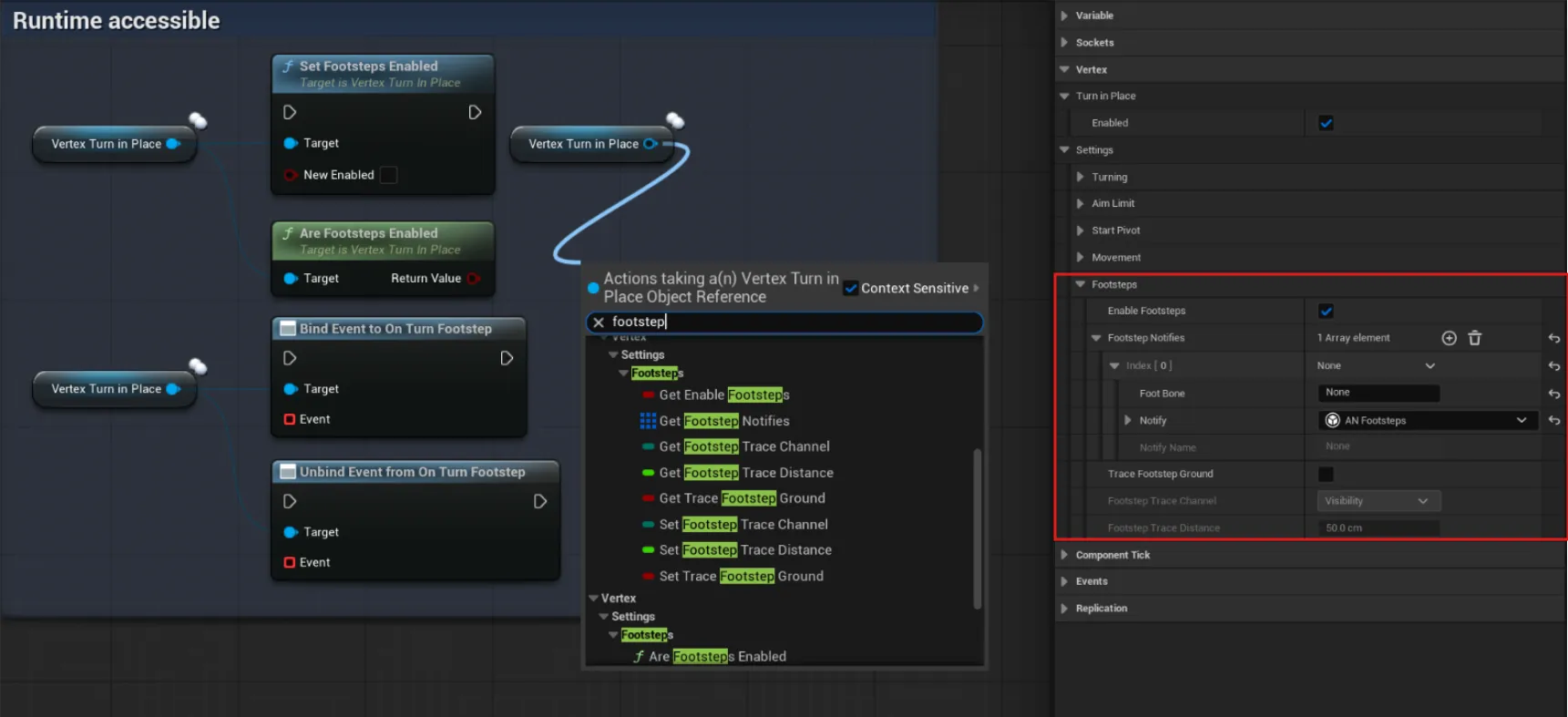
| Enable Footsteps | On | Master switch for footstep notifies and the On Turn Footstep event. Local, cosmetic. Toggle with Set Footsteps Enabled. | Turn off for silent characters or when handling sound elsewhere. |
| Footstep Notifies | empty | One entry per foot. Each has Foot Bone (None = every foot), an instanced Notify (your Anim Notify, configured like in an animation), or a Notify Name that calls AnimNotify_<Name> in the Animation Blueprint. |
Zero-code reuse of your footstep notify. |
| Trace Footstep Ground | Off | Traces the ground under each footstep and passes the hit (with physical material) to On Turn Footstep. Not needed for Footstep Notifies. | Surface-based sounds from Blueprint. |
| Footstep Trace Channel | Visibility | Channel for the ground trace. | Use a custom channel if Visibility hits unwanted geometry. |
| Footstep Trace Distance | 50 cm | Trace length above and below the foot. | Increase for tall steps or uneven ground. |
Footsteps play locally on every player’s machine, including the listen-server host; a dedicated server produces none.
Note: Footstep notifies fired this way have no
Animationasset (it is null). If your notify’s code readsAnimation, add a null check.