
Performance and Troubleshooting
このコンテンツはまだ日本語訳がありません。
Profiling
Section titled “Profiling”| Tool | How |
|---|---|
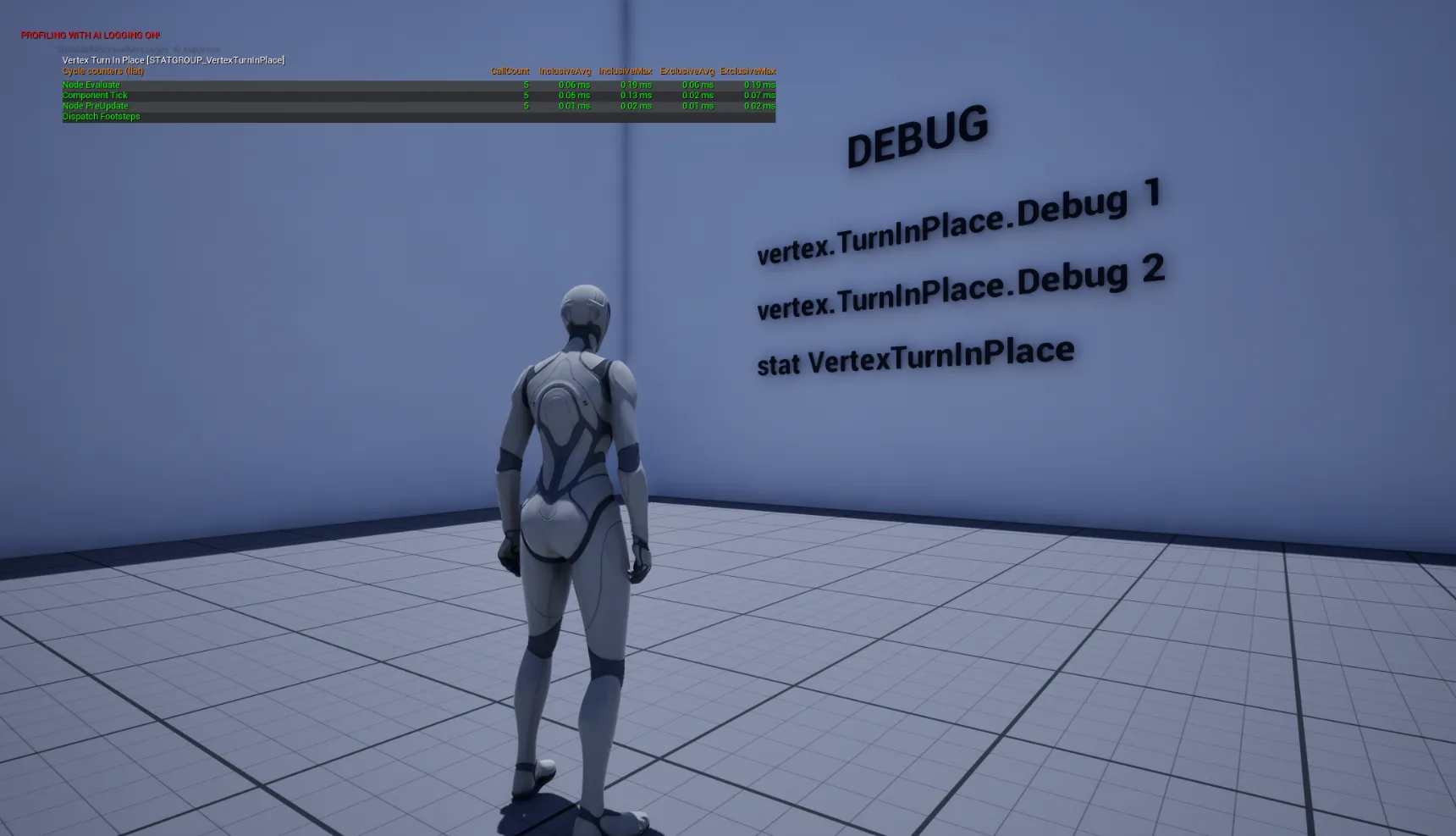
| Stat group | stat VertexTurnInPlace shows Component Tick, Dispatch Footsteps, Node PreUpdate, Node Evaluate. |
| Unreal Insights | CPU scopes use the same names. |
| Visual debug | vertex.TurnInPlace.Debug 1: foot spheres plus a readout above each character (net role, turn state, actor / mesh / owned yaw, turn rate, aim, rotation flags, aim limit). vertex.TurnInPlace.Debug 2 also logs the dedicated server’s view (LogVertexTurnInPlace). vertex.TurnInPlace.Debug 0 turns both off. Not in Shipping builds. |
Troubleshooting
Section titled “Troubleshooting”| Symptom | Cause / fix |
|---|---|
| Nothing happens | Component missing, Enabled off, or the node is not in the AnimGraph’s pose path. Check the AnimGraph connection and Enabled. |
| Feet do not move or slide, body turns | Node placed before locomotion or before foot IK / Control Rig, or Alpha is 0. Place it last, right before Output Pose. |
| Compile warning about bones | Skeleton does not match the Mannequin defaults. Fill 01. Legs, Pelvis Bone, Spine Chain, or press a preset. |
| Turn starts on every mouse move (first person) | The component does not change rotation flags. Check your own first/third person switching, then review Turn Start Angle. |
| Camera runs far ahead of the body | Aim Limit Mode is None. Use Drag Body or Clamp Camera. |
| Quadruped front legs drag | Spine Chain contains bones that carry a leg. Use neck and head only. |
| Extra empty legs after the Quadruped preset | Fill the cleared leg bones or delete the unused elements. |
| Foot snaps at the end of a pivot | Raise Pivot Blend Time to roughly the pivot duration. |
| Feet adjust when slowing to a stop | Tune Settle Delay, Settle Distance and Settle Angle (03. Stepping | Settle). |
| Body keeps moving after the turn ends | Raise Turn Stop Angle; check Turn Acceleration. |
| Footstep notify code crashes or fails | The notify receives no Animation asset. Add a null check. |
| Twisted ankles on fast turns | Lower Max Foot Yaw Offset. |
| Spine twist fights an aim offset | Turn off Enable Upper Body Twist. See Using with your own aiming system. |
| Shots go where the legs face, not the crosshair | Your aim code uses the actor rotation. Trace from the control rotation or camera instead. See Using with your own aiming system. |
| Aim limit differs between client and server | Call Set Aim Limit on both the owning client and the server. |
| Other players’ characters jitter or their feet keep stepping (multiplayer) | Make sure the server uses the same rotation settings and aim limit as the owning client (replicate aiming / perspective state). With vertex.TurnInPlace.Debug 1, another player’s Yaw and Rate should stay still while they stand; Debug 2 logs the server’s view to compare. |
Known limits
Section titled “Known limits”- Win64 and UE 5.8 only.
- Biped and quadruped leg chains are thigh, calf, foot (two-bone IK).
- Clamp Camera is for local players only.