Use Cases
このコンテンツはまだ日本語訳がありません。
Third person
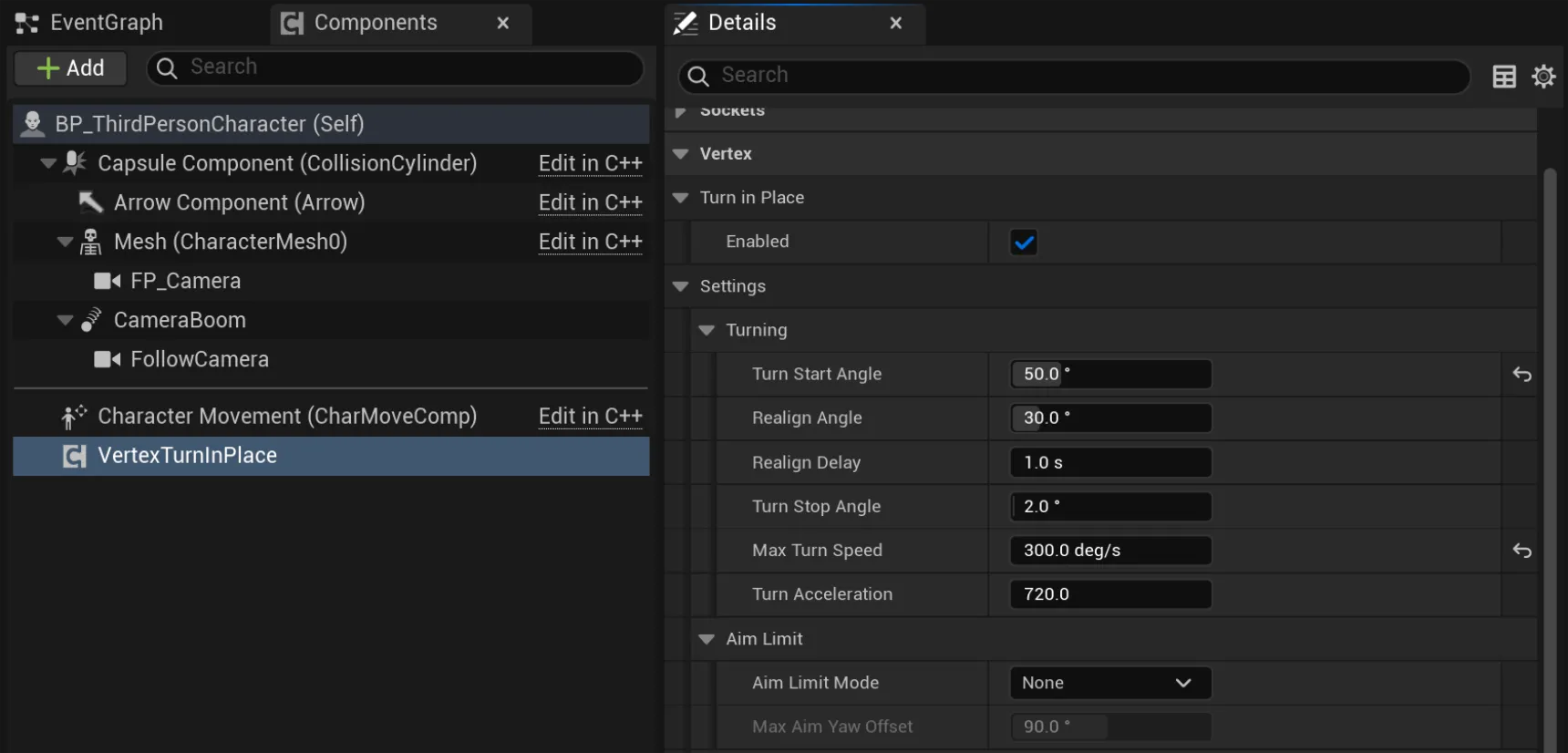
Section titled “Third person”Defaults work. Keep Aim Limit Mode = None. The body turns once the camera is 75 degrees off, or 30 degrees for one second.
- Snappier: Turn Start Angle 50, Max Turn Speed 300.
- Relaxed: Turn Start Angle 100, Realign Delay 2.
First person
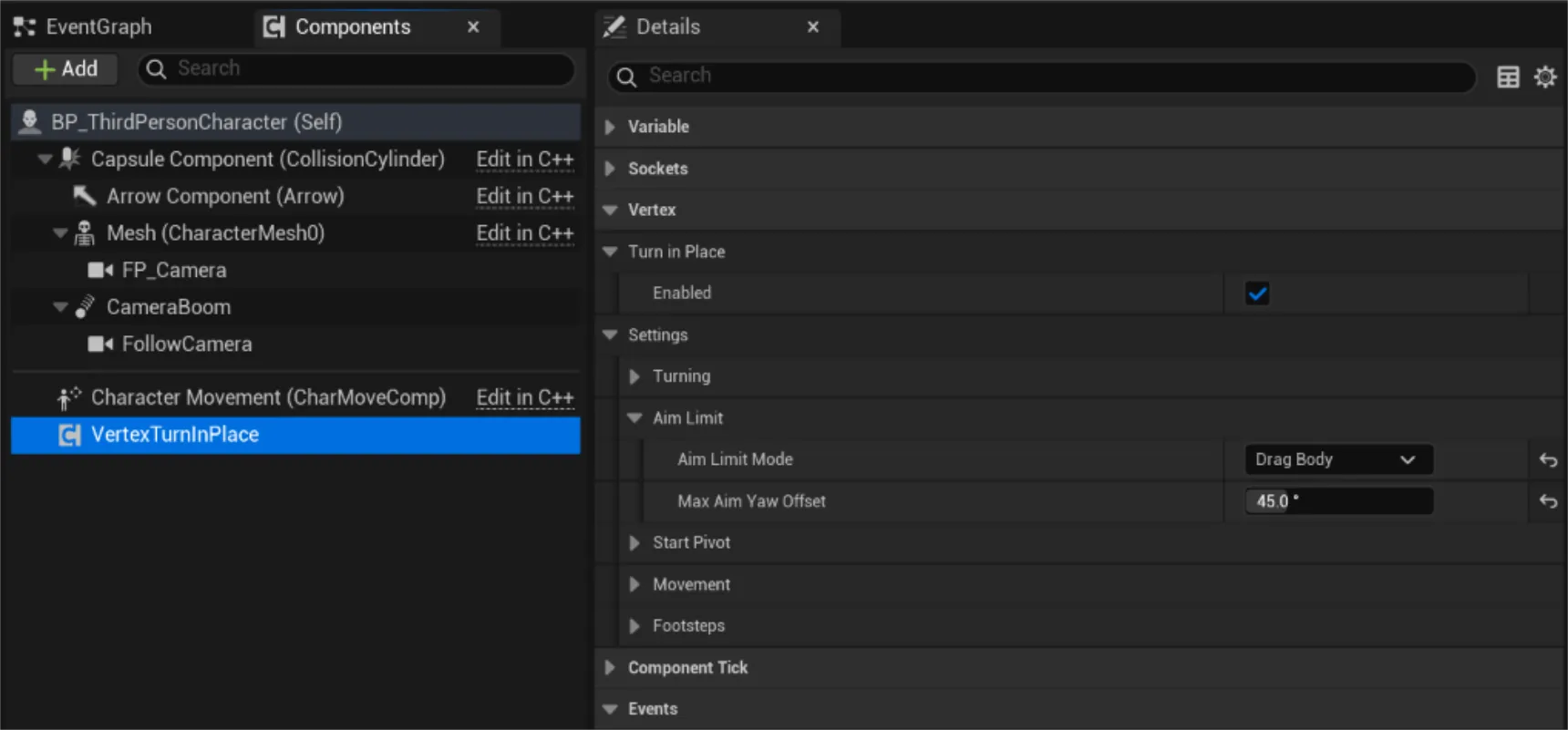
Section titled “First person”The camera is the body’s aim, so the view can get far ahead of the body. Limit it:
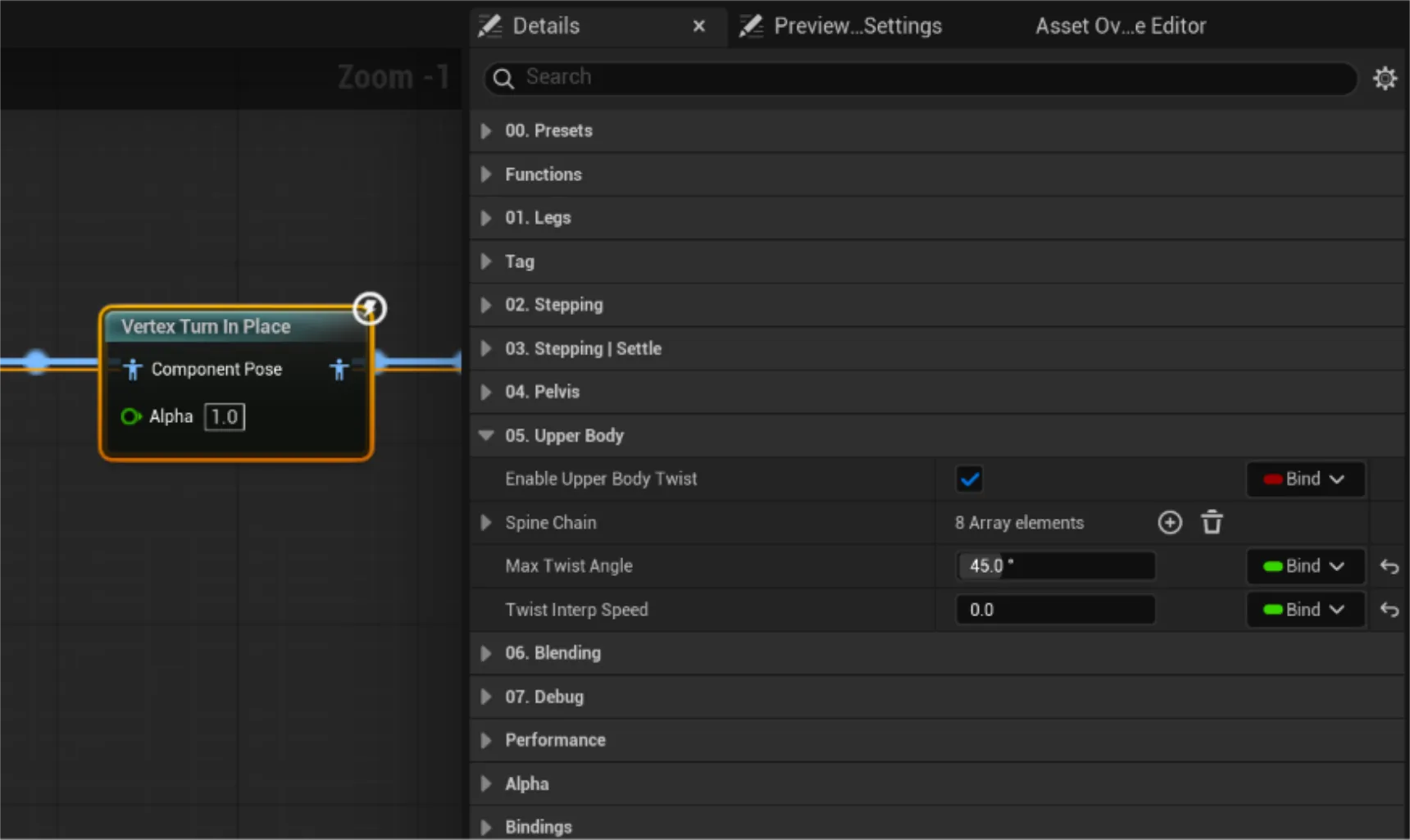
[Component]Aim Limit Mode = Drag Body. The camera stays free; when the offset exceeds Max Aim Yaw Offset, the body is dragged to the limit.[AnimGraph Node]Keep Enable Upper Body Twist on, with Max Twist Angle at least as large as Max Aim Yaw Offset, and set Twist Interp Speed = 0, so the arms follow the aim instantly while the feet catch up.- Use Clamp Camera instead if you want the view itself to stop at the limit (local player only).
Tighter limit while aiming
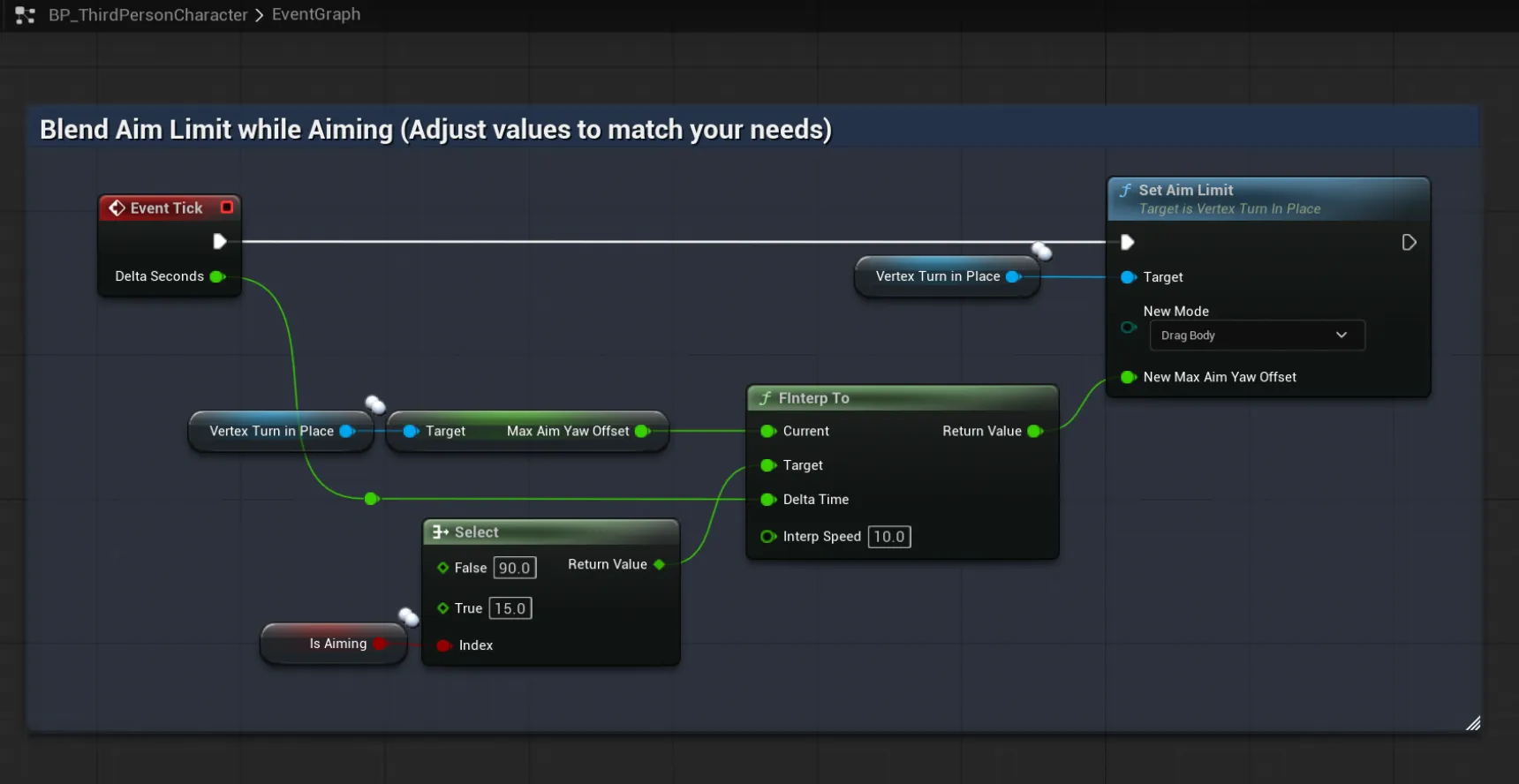
Section titled “Tighter limit while aiming”A small limit while aiming down sights is a normal approach. Drag Body moves the body to the limit in one frame, so a sudden change from 90 to 15 degrees snaps the body. Blend the value instead:
Each tick while aiming state changes, compute Event Tick → FInterp To (Current, Aiming ? 15 : 90, Delta Time, 10) → Set Aim Limit(Drag Body, value). Blended result, but it runs every frame.
Using with your own aiming system
Section titled “Using with your own aiming system”The plugin never changes the aim (control rotation). It only rotates the body (actor yaw), and the spine if Upper Body Twist is on. The one exception is the Clamp Camera aim limit, which limits the camera yaw while it’s selected. While standing, the body lags behind the aim and catches up in turns. Keep your aim logic on the aim, not on the body, and your aiming works the same as without the plugin:
- Shoot and trace from the aim. Use the control rotation or the camera, never Get Actor Forward Vector or the actor rotation. With turn in place, the actor doesn’t face the aim while standing, even with Use Controller Rotation Yaw on.
- One system twists the upper body. If you use your own Aim Offset, turn off Enable Upper Body Twist on the AnimGraph node. Drive the Aim Offset yaw with control yaw minus actor yaw (or Get Aim Yaw Offset). If you have no Aim Offset, keep our twist on.
- Stay inside your Aim Offset’s yaw range. The offset grows up to Turn Start Angle before the body turns, and briefly further on fast camera flicks. Set Turn Start Angle no higher than your Aim Offset’s yaw range, or use Drag Body with Max Aim Yaw Offset equal to that range to cap it.
The aim drives the upper body and the plugin turns the legs, the same split third-person shooters use.
Quadruped
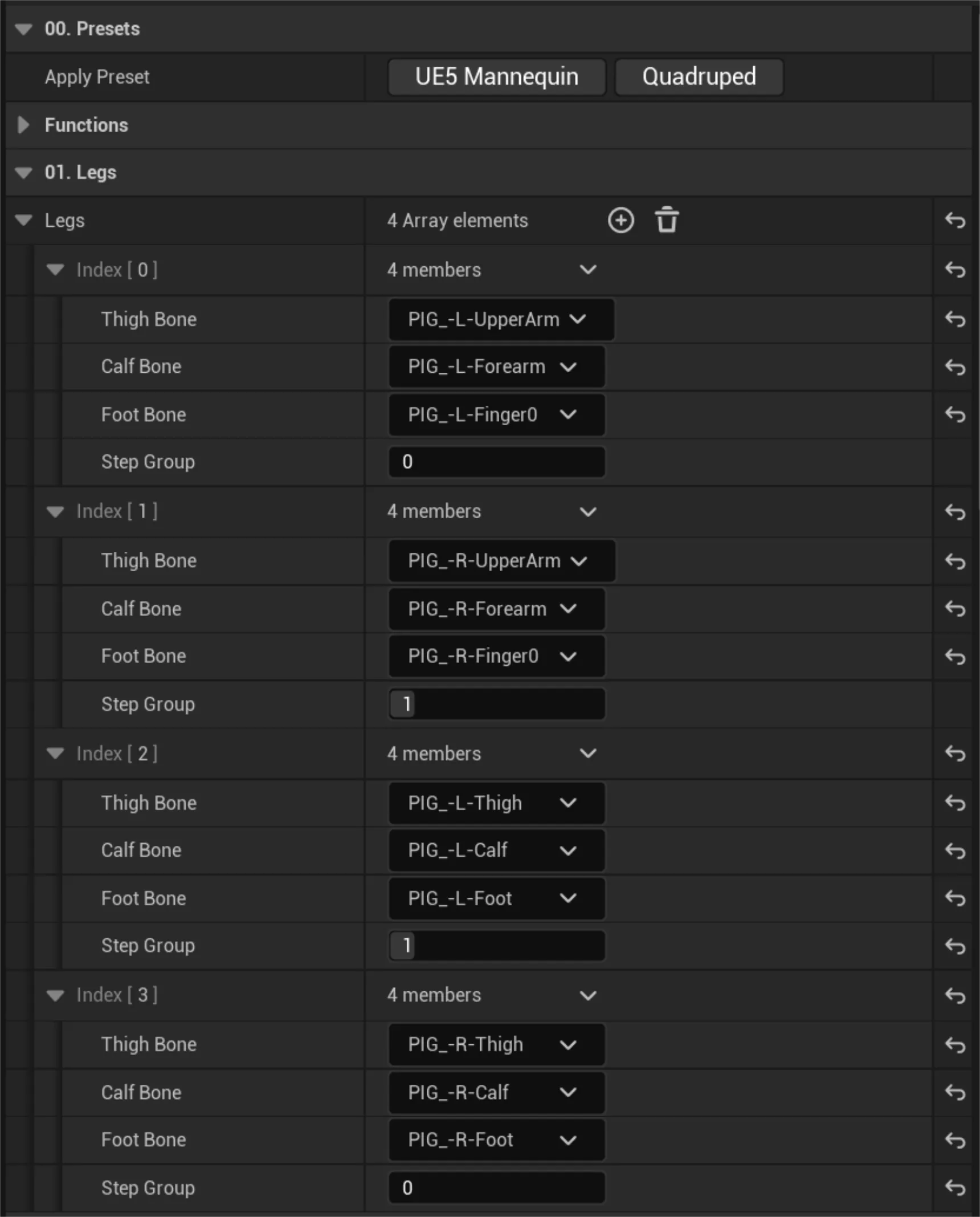
Section titled “Quadruped”- In 01. Legs add four legs (thigh, calf, foot each). Typical order: front-left, front-right, hind-left, hind-right.
- Press Quadruped in 00. Presets. It sets groups 0, 1, 1, 0 (trot), overlap and drift values, and clears Mannequin bones that do not exist.
- Fill any leg bones the preset cleared.
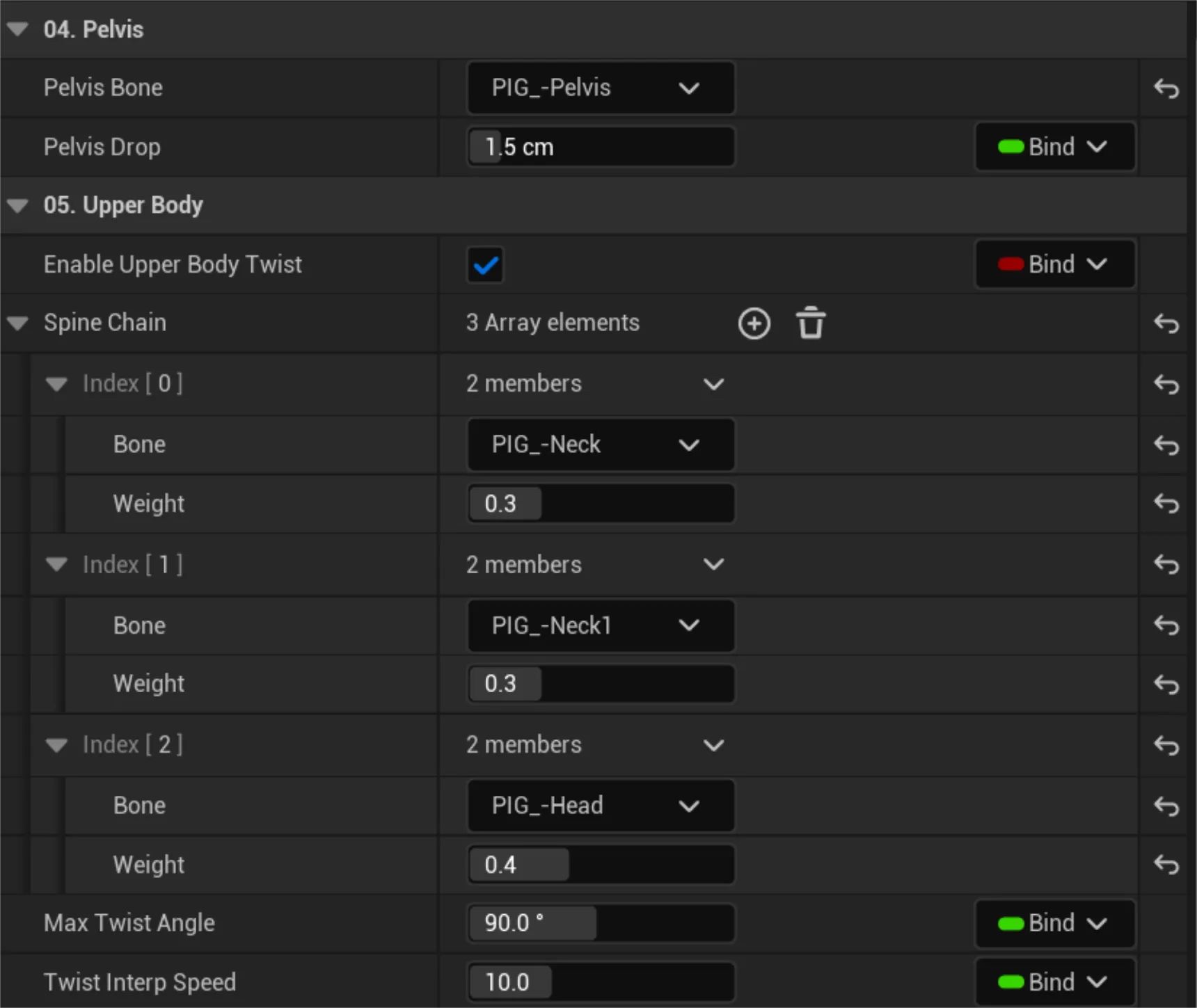
- Spine Chain: use neck and head only. A spine bone that parents a front leg drags that leg.
- Total Weight of the Spine Chain must be
[1]so0.3, 0.3, and 0.4in the given example. - Set Pelvis Bone to the hip/root/pelvis bone if available, or leave empty to disable.
Long bodies: raise Max Foot Drift; the node shortens steps automatically when the body rotates faster than the feet can follow.
Multiplayer
Section titled “Multiplayer”- The component runs on the server and the owning client; simulated proxies receive a compact replicated state and smooth the aim.
- Set Turn In Place Enabled: call on the server.
- Set Aim Limit: call on the owning client and the server.
- Non-Character pawns (no Character Movement) send their aim to the server automatically.
- Runtime rotation switches are supported (for example Use Controller Rotation Yaw on for first person or aiming, Orient Rotation to Movement otherwise): the body stays steady for the owner, the server and other players.
- Replicate any state that drives your rotation settings or aim limit (aiming, perspective), so the server uses the same settings as the owning client.
- Footsteps play locally on every player’s machine, including the listen-server host; a dedicated server produces none.
- Test with Play As Listen Server and Play As Client (dedicated server).
vertex.TurnInPlace.Debug 1shows each character’s state;2also logs the server’s view.
AI and NPCs
Section titled “AI and NPCs”Add the component to any AI Pawn. The aim is the controller’s control rotation. No per-character tuning is needed.
Footsteps for turning
Section titled “Footsteps for turning”Turn steps are not in any animation, so your animation footstep notifies cannot fire for them.
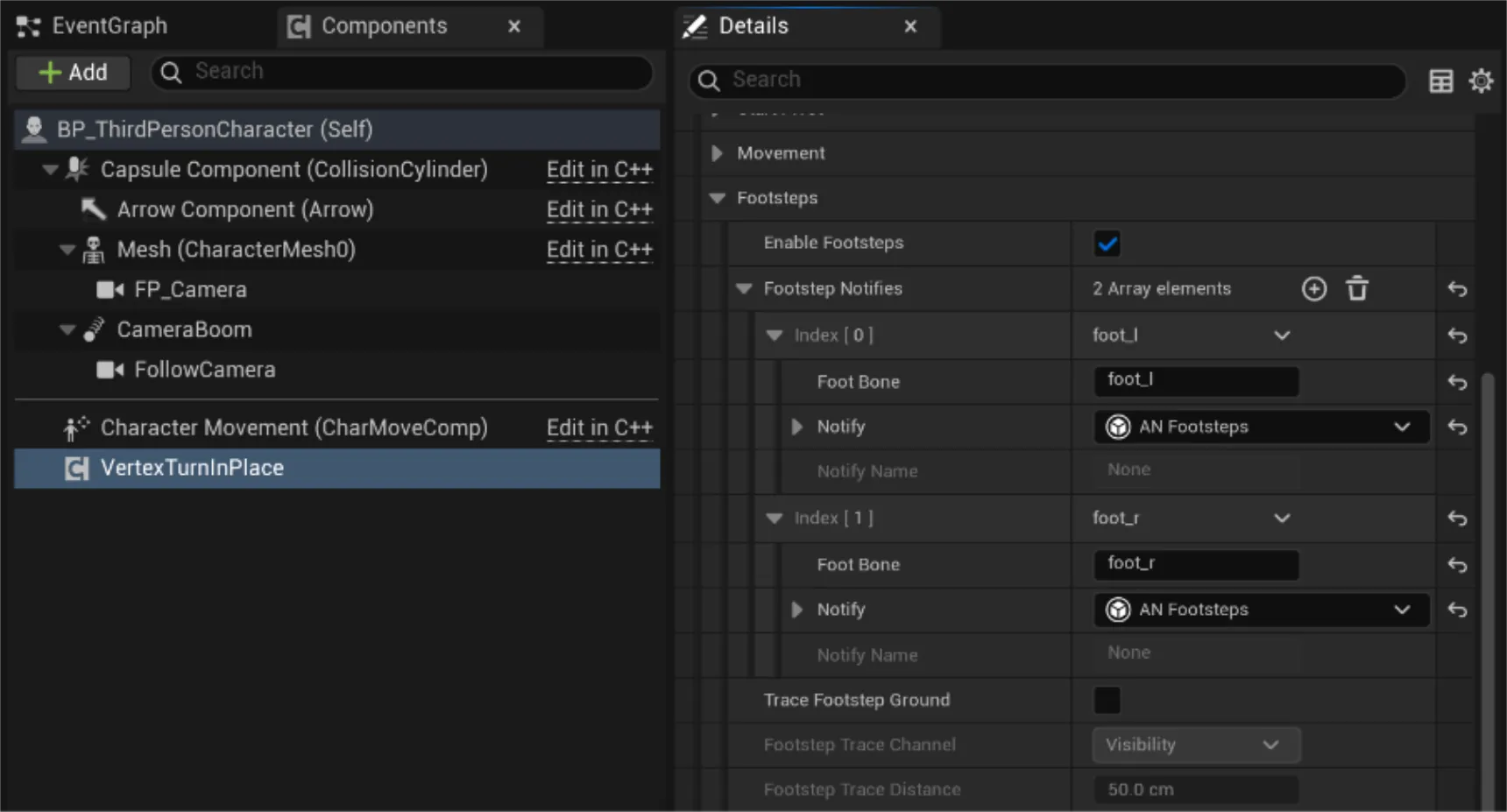
Option A: reuse your notify (no code). In Footstep Notifies add one entry per foot: set Foot Bone to the leg’s foot bone (or leave None for all), and pick your footstep Notify class. Configure it exactly as in an animation.
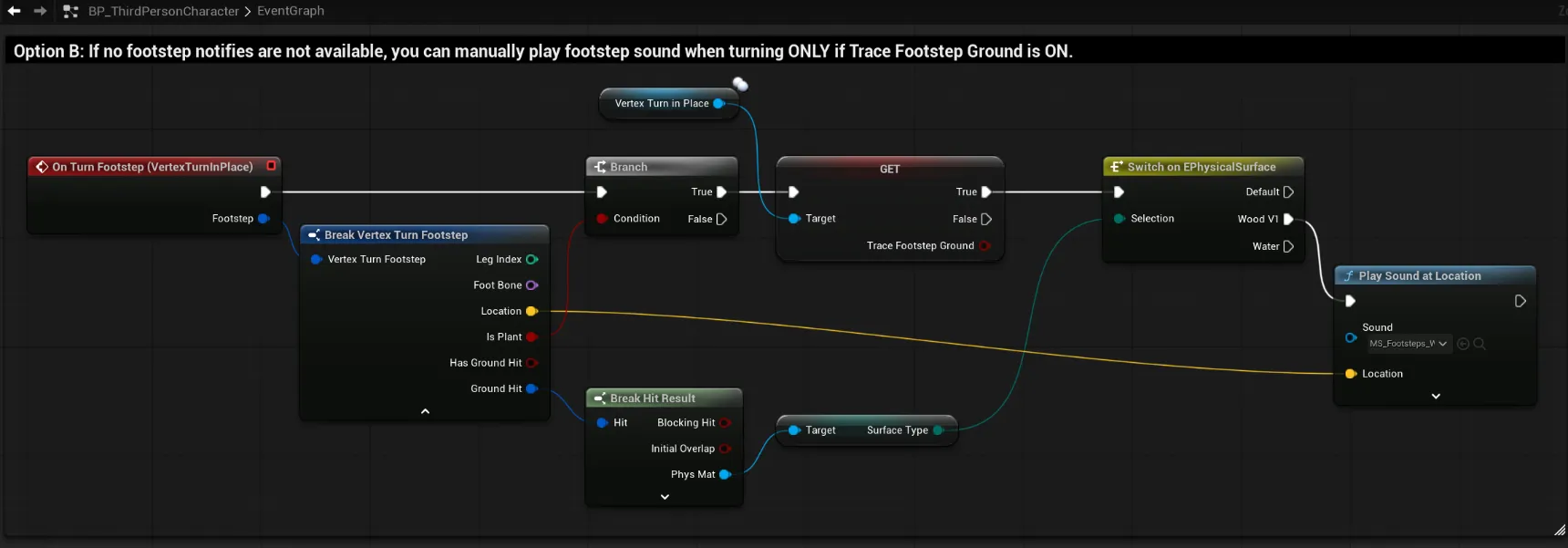
Option B: Blueprint. Bind On Turn Footstep, branch on Is Plant, use Location and, with Trace Footstep Ground on, Ground Hit for the surface.
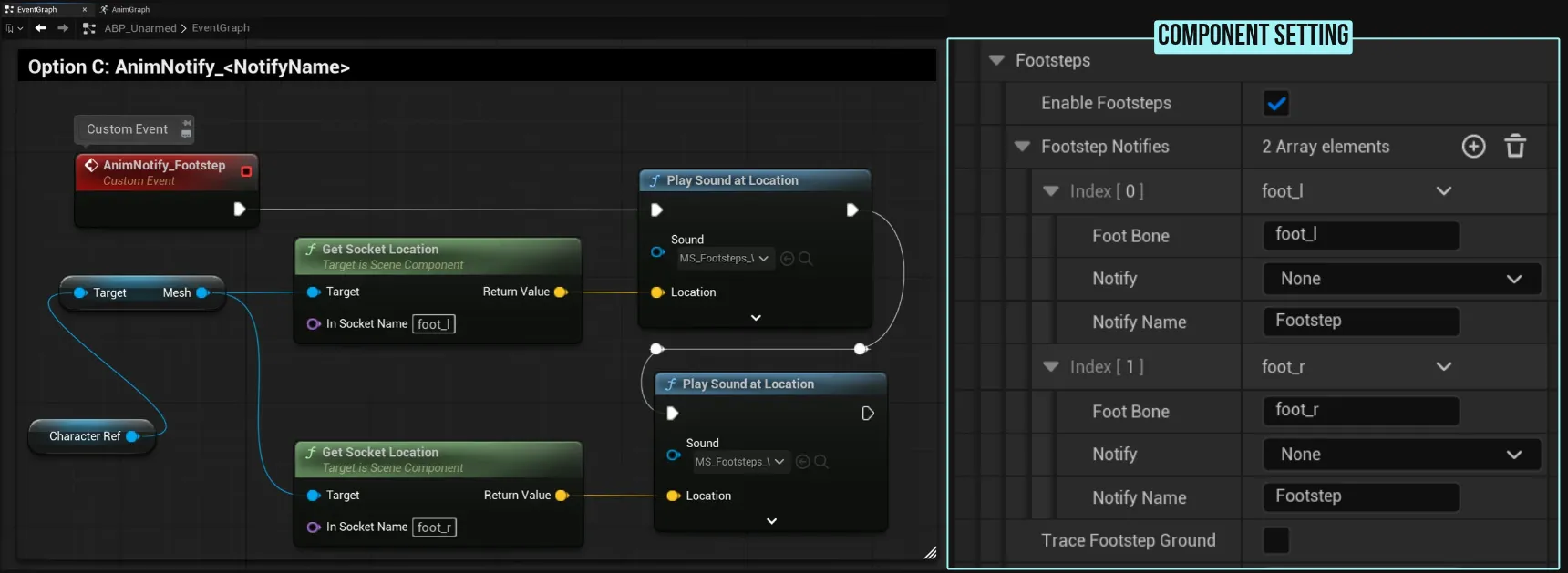
Option C: named notify. Set Notify Name to Footstep and handle AnimNotify_Footstep in the Animation Blueprint.
Moving platforms
Section titled “Moving platforms”Standing on a moving or rotating base is supported: planted feet travel with the platform, no setup needed.
Teleport and respawn
Section titled “Teleport and respawn”Planted feet reset automatically on a teleport (more than 200 cm), when the node comes back from being irrelevant, and on Reset Dynamics.